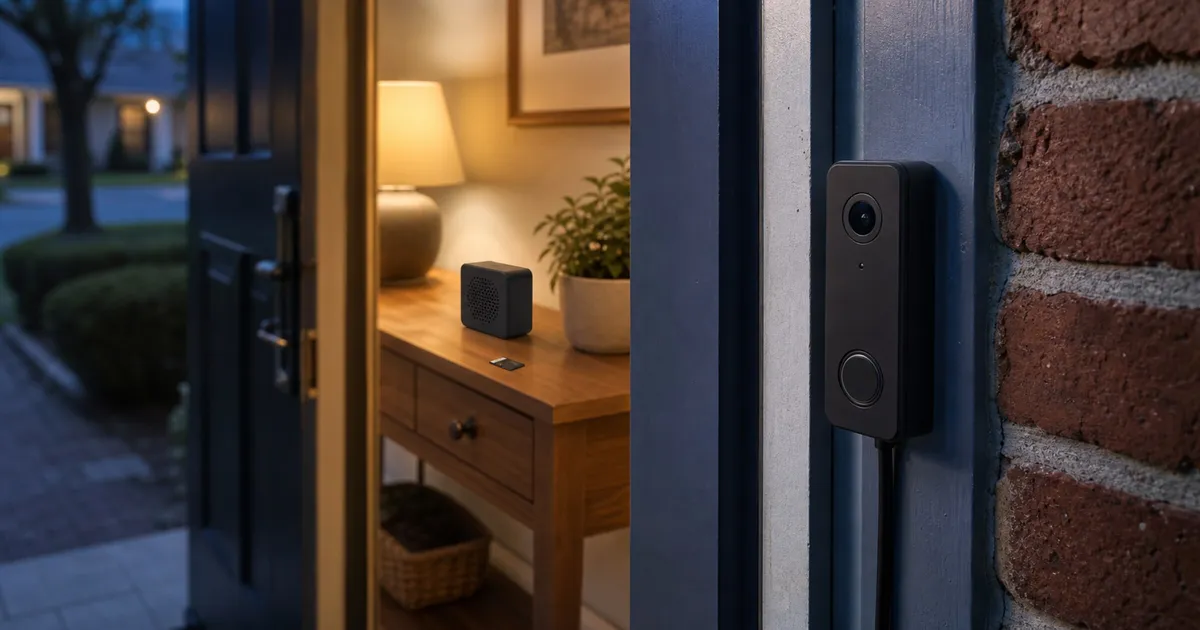
“No subscription required” does not mean the same thing on every doorbell. Based on the documented local-storage, account, offline, and power paths reviewed here, Reolink D340W offers the most self-contained local option. eufy E340 and Tapo D225 pair useful local recording with app accounts and optional cloud plans. Aqara G4 has a useful Apple Home path, but its exact US hardware and update horizon need verification.
How the four options differ
The structured product comparison distinguishes a no-fee recording path from a fully account-free or internet-independent system. Reolink offers the strongest documented LAN-first path in this group. eufy and Tapo keep useful functions outside their optional plans but still rely on accounts and apps. Aqara’s special value is its Apple Home integration, with unresolved exact-US-hardware and support questions that deserve attention before purchase.
Define “without a subscription” before choosing
A doorbell can be sold without a mandatory monthly plan and still depend on several outside services. Separate at least five questions: where the video is stored, whether an account is required, which functions survive an internet outage, which alerts leave the property, and whether any desired feature belongs to an optional cloud tier. A yes to local recording does not answer the other four.
Storage location affects both convenience and failure modes. A card inside an outdoor doorbell is simple, but the recording may leave with a stolen device. A card in an indoor chime is less exposed. An NVR, PC, or FTP target can put footage elsewhere on the network, though that path adds equipment and setup. None of these arrangements is an automatic backup: cards can fail, network destinations can be unavailable, and local footage can be lost if the relevant hardware is damaged.
Offline behavior also needs precise language. “Works without internet” might mean only that the doorbell continues writing clips locally. Live view may require the phone to be on the same LAN, while push notifications and remote viewing may stop. Account-based apps can also behave differently from a direct local client. Decide whether your priority is recording through an outage, viewing while at home, or receiving alerts while away; they are separate capabilities.
Finally, a free tier is a vendor policy rather than a permanent physical property. A manufacturer can alter cloud packaging, app requirements, or supported services. Recheck the current plan matrix and support page when you buy, and treat a documented local storage path as more durable than an assumption that today’s cloud feature list will never change.
Our local-control pick: Reolink D340W
Reolink documents the D340W hardware as DB_566128M5MP_W and supports microSD cards up to 256GB, Reolink NVR, PC recording, FTP, and local playback. The company says an account is not required for basic configuration and use; it is needed for cloud and selected smart-home services. UID or P2P remote access can also be disabled.
The wiring decision is important. Reolink specifies 12–24VAC or 24VDC and says the existing mechanical chime must be bypassed. The doorbell uses the included Reolink chime instead. On a LAN without internet, Reolink documents local live view, playback, and SD recording, while remote access, push notifications, email, and automatic updates stop.
That split makes the D340W easier to assess than a vague “no subscription” promise. It can keep a core local path, but it is not a promise that your phone will alert you from elsewhere during an outage. Before ordering, inspect the transformer label and existing chime wiring rather than assuming that “wired doorbell” means compatible. Plan where the included chime will sit and whether the Wi-Fi signal and local recording destination reach that location.
The account-free basic path is also distinct from optional integrations. If you choose UID or P2P remote access, cloud, or a selected smart-home service, evaluate those features on their own terms. Buyers who want the smallest external dependency should document which remote functions they intentionally enable instead of accepting every default during setup.
Check Reolink Video Doorbell Wifi 5MP on Amazon.
A built-in battery option: eufy E340
The E340 T8214 can run from its removable 6500mAh battery or compatible wiring. eufy lists 8GB of on-device eMMC storage and says local event recording, notifications, and playback do not require a subscription. A HomeBase is optional rather than mandatory.
Use eufy’s “up to 60 days” storage statement only as a manufacturer estimate under its event assumptions, not a guaranteed retention period. Cloud Backup and thumbnail handling create separate cloud paths. The app and account are required, 2FA is optional, and changing owners requires removing the doorbell from the old account, preserving needed clips, and adding it under the new account.
Battery operation avoids relying on existing low-voltage wiring, but it creates a charging routine and makes retention estimates dependent on event volume and settings. A busy sidewalk, detection zone, or frequent live viewing can change practical behavior. Wiring can reduce charging friction, yet compatible wiring still needs to be verified. Decide which mode you will actually use before comparing the E340 with a wired-first product.
The 8GB internal storage is convenient because no card purchase is required for the stated local event path. It is not user-expanded storage, however, so the retention question returns to how many clips are captured and how long they are kept. Export anything that matters rather than treating the doorbell as an archival system.
Check Eufy Video Doorbell E340 on Amazon.
A large-card option: Tapo D225
Tapo documents local microSD support up to 512GB, battery and hardwired modes, live view, notifications, two-way audio, zones, and local storage in its free tier. Tapo Care adds cloud history, snapshot-rich alerts, and organization features, but should not be described as required for basic operation.
The D225 requires a TP-Link ID and Tapo app. Removing the device unbinds it for another owner, while Tapo Care videos do not transfer to a new account. Confirm the exact hardware version before using a manual or firmware record; the US support page is version-specific.
The 512GB maximum gives Tapo the largest stated card ceiling in this group, but capacity alone does not establish usable retention. Resolution, event frequency, clip length, continuous or event-based behavior, and card endurance all affect the result. Use a card that meets the current manufacturer guidance and check periodically that recording and playback still work.
Tapo Care’s additional cloud history and richer alerts may be useful, but they should be budgeted as an elective service. If a cloud-only feature is central to your purchase, then the product is not functionally subscription-free for your use even if the basic doorbell can operate without the plan.
Check Tapo D225 Video Doorbell on Amazon.
Aqara G4 for Apple-centered homes
Aqara’s current US page says the G4 can store recordings on a microSD card in the indoor chime and offers local face-triggered automations. HomeKit Secure Video is optional and requires an eligible iCloud plan. Continuous recording works only while wired; battery mode is event-based.
Lifecycle support remains unresolved. An older global Aqara policy listed support dates for SVD-C01 and SVD-C02, while current regional compliance lists vary and the US retail page does not expose the exact hardware label. Check the package or device label and current US support status before purchase.
The indoor-chime storage design has a practical advantage: a person removing the outdoor button does not automatically remove the storage card. It still does not replace a backup, and the chime itself needs reliable power and placement. Apple Home users should also distinguish local Aqara functions from HomeKit Secure Video, which is a separate optional cloud path tied to an eligible iCloud plan.
Do not resolve the hardware ambiguity by assuming that every G4 listing refers to the same support record. Match the delivered label to the current regional documentation while the return period is open. If the seller cannot identify the variant, that uncertainty belongs in the buying decision.
Check Aqara Video Doorbell G4 on Amazon.
Subscription-free buyer checklist
- Identify where clips are stored: doorbell, indoor chime, microSD, NVR, or cloud.
- Confirm what continues during an internet outage: recording, local live view, playback, and push are separate functions.
- Check whether an account is mandatory and whether MFA is available.
- Map the ownership-transfer process before installing a used or moving-home device.
- Confirm transformer voltage, chime compatibility, and whether continuous recording requires wiring.
- Recheck cloud plan prices and retention on the purchase date.
- Treat local storage as a feature, not a guarantee of security, privacy, or recovery after theft.
Plan the installation before placing an order
Start at the door rather than at the product page. Photograph the existing button, chime, transformer label, and available mounting area. Determine whether the current chime is mechanical or digital and whether the chosen product uses it, bypasses it, or relies on an included indoor chime. If you cannot safely identify or work on low-voltage wiring, use a qualified installer.
Next, check network conditions at the exact mounting point with the door closed. A phone speed test is not a complete radio survey, but a weak connection there is a warning that the doorbell may need a nearer access point or different placement. Also decide where an NVR, chime, or router-based dependency will live and what happens if that device loses power.
For battery installation, plan access for recharging and ask how the doorbell is removed from its mount. For wired installation, confirm voltage and the manufacturer’s chime instructions. Avoid assuming that a battery-capable model becomes functionally identical to a wired model when connected; continuous recording and other modes can have their own requirements.
Account, privacy, and ownership checks
Use a unique password and enable multifactor authentication where the platform offers it. Review household sharing instead of giving everyone the primary credentials. Examine notification previews and cloud thumbnail settings, because a locally stored clip does not necessarily mean that every image or alert remains local. Keep firmware current, but also record the current version so a troubleshooting change is traceable.
Ownership transfer deserves attention before moving or buying used. Remove the device from the old account, export needed clips, reset it according to the exact guide, and verify that the new owner can bind it. Cloud footage, subscriptions, and local cards may follow different rules. A factory reset should not be treated as proof that every remote account association has cleared unless the manufacturer documents that outcome.
Calculate the real no-subscription cost
The useful total includes the doorbell, appropriate storage card or NVR capacity, transformer or chime work, possible installation, and replacement batteries or charging time. A no-fee product can cost more upfront while avoiding a recurring plan; another can be cheaper initially but expose the feature you actually want only through its cloud tier. Compare over the period you reasonably expect to keep the device, while recognizing that no vendor promises indefinite app or cloud support.
Reolink is the clearest fit when LAN access and multiple local destinations are the priority and the wiring constraints work. eufy fits buyers who value battery flexibility and built-in storage while accepting an app account. Tapo fits buyers who want a larger removable-card ceiling and can verify the exact hardware version. Aqara fits an Apple-centered home only after the regional hardware and support record are matched.
Skip a video doorbell if the mounting position cannot respect neighbors’ privacy, the network is unreliable and no local path meets your needs, or the household cannot maintain the account, power, and storage. A conventional doorbell plus a separately positioned camera can sometimes create a clearer maintenance boundary.
Evidence boundary
No common independent protocol covers exact E340 T8214, Reolink D340W hardware DB_566128M5MP_W, Tapo D225 US, and a confirmed US Aqara G4 hardware revision. We do not rank notification latency, missed events, image detail, two-way audio, battery life, or offline reliability. The comparison is based on documented storage, account, power, transfer, and support paths.
Sources
- eufy E340 product and guide: https://www.eufy.com/products/t8214111 and https://service.eufy.com/article-description/Video-Doorbell-E340-User-Guide
- Reolink D340W support, offline behavior, and account FAQ: https://support.reolink.com/c/video-doorbell-wifi/ , https://support.reolink.com/articles/360007170094-Can-Reolink-WiFi-Cameras-Work-Without-WiFi-or-Internet-Connection/ , and https://support.reolink.com/articles/29100983585177-Reolink-Account-FAQ/
- Tapo D225 product, Care matrix, and support: https://www.tapo.com/us/product/smart-doorbell/tapo-d225/ , https://www.tapo.com/us/tapocare/ , and https://www.tp-link.com/us/support/download/tapo-d225/
- Aqara G4 product and support policy: https://www.aqara.com/us/product/smart-video-doorbell-g4/ and https://www.aqara.com/wp-content/uploads/2024/08/Product-Security-Support-Policy.pdf