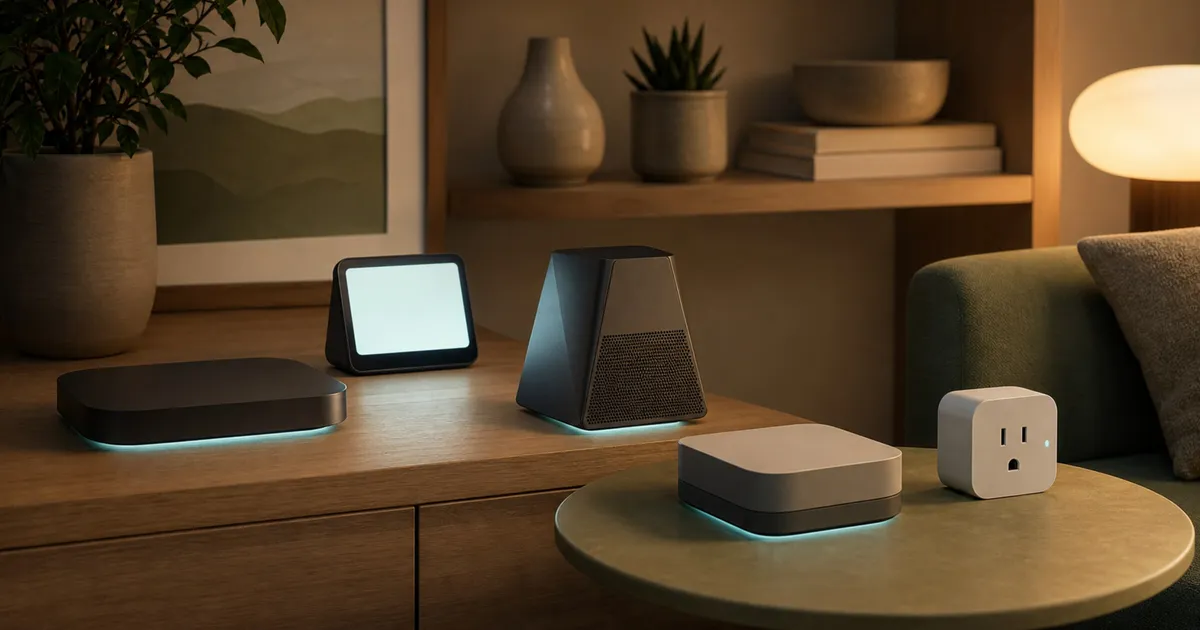
Matter is the smart-home application standard; Thread is one network transport Matter devices can use. Buying a “Matter hub” does not guarantee it is a Thread border router, and buying a Thread plug does not give you a controller. Start with the accessory’s role, your chosen platform, and the exact hub variant.
The three roles in plain English
- A Matter controller commissions and controls Matter accessories inside an ecosystem.
- A Thread border router links a Thread mesh to the home’s IP network.
- A mains-powered Thread endpoint such as Eve Energy can relay Thread traffic, but it is not automatically a controller or border router.
Draw the home topology before buying
Start with the accessory you want to add, not the hub catalog. Record whether the accessory uses Matter over Wi-Fi, Matter over Thread, or a manufacturer’s bridge. A Matter-over-Wi-Fi device needs a compatible controller and the home’s Wi-Fi network. A Matter-over-Thread device also needs a Thread border router. A Zigbee accessory may require its manufacturer’s bridge even when that bridge can expose some devices to Matter.
Then name the ecosystem that will commission the accessory first: Apple Home, Google Home, Alexa, Aqara, or another supported platform. The first controller establishes the device on a Matter fabric. Multi-admin can share a compatible device with another ecosystem, but the second ecosystem still needs its own controller, account, app, and category support. Multi-admin is therefore a sharing mechanism, not a way to operate every feature without each platform’s infrastructure.
Finally, identify the exact hardware already in the home. Product-family names can hide role differences. Apple’s own Thread-router list distinguishes the third-generation Apple TV 4K 128GB Wi-Fi + Ethernet model from the 64GB Wi-Fi-only version. A product page that says only “Apple TV 4K, third generation” has not resolved that difference. The same exact-variant discipline applies to region-specific hubs and older accessories that received Matter through firmware.
Which product solves which job?
| Product | Controller | Thread border router | Best reason to choose it | Exact caveat |
|---|---|---|---|---|
| Apple TV 4K 3rd gen, 128GB Ethernet | Yes | Yes | Apple Home hub, remote access, automations, and Thread in one box | The Wi-Fi-only 64GB variant is not on Apple’s Thread-router list |
| Google Nest Hub 2nd gen | Yes | Yes | Google Home display and hub with Thread | Google account, Home app, and IPv6 required; feature support varies by device category |
| Amazon Echo 4th gen | Yes | Yes | Alexa voice hub with local Matter control during internet outages | Alexa cloud features are not offline merely because local Matter control can continue |
| Aqara Hub M3 | Yes | Yes | Matter controller plus Thread border router and Aqara Zigbee bridge | Retail listing must confirm HM-G01D or HM-G01E region label; published global support date is conflicted |
| Eve Energy Matter or Thread US | No | No | A mains-powered Thread plug and router node with no Eve account | Product 10EBU4101 upgraded to Matter and 10EBU4151 ships with Matter; both use model 20EBU4101 |
Controller and border-router roles can live in one box
Apple TV 4K 128GB, Nest Hub second generation, Echo fourth generation, and Aqara Hub M3 each combine the two roles needed to commission and reach Matter-over-Thread accessories in their supported ecosystems. That overlap is convenient, but the products are not interchangeable. The controller belongs to a platform, and the border router has documented protocol and version support. Choose the box that matches the ecosystem you actually intend to use, then confirm its exact hardware variant.
Owning several border routers is not automatically a problem, but adding hubs without a role plan can make troubleshooting harder. Keep a simple inventory of which devices are controllers, which are border routers, which bridges translate Zigbee or other accessories, and which endpoints merely relay Thread traffic. When an accessory becomes unreachable, that inventory separates a platform-account problem from a border-router, radio, or endpoint problem.
Apple Home: buy the exact 128GB Ethernet model
Apple documents the third-generation Apple TV 4K Wi-Fi + Ethernet 128GB as a Thread-enabled home hub. The Wi-Fi-only model is not equivalent. Apple Home supports Matter categories and multi-admin sharing, but category support still does not mean every optional feature from every accessory appears in Home.
Check Apple Tv 4K 3rd Gen 128gb on Amazon.
Google Home: controller and border router together
Google identifies Nest Hub 2nd generation as both a Matter hub and Thread border router. Setup uses a Google Account, Google Home app, and IPv6. Google documents local control while at home and cloud-backed remote control, plus a multi-admin process that still requires a compatible hub in each ecosystem.
Check Google Nest Hub 2nd Gen on Amazon.
Alexa: local Matter control is narrower than offline Alexa
Amazon documents Echo 4th generation as a Matter controller and Thread 1.1 border router. Local Matter control can continue during an internet outage, but Alexa voice, remote access, and cloud-dependent routines still require their respective services. Amazon’s supported category list is also a platform matrix, not proof that every Matter cluster works on every device.
Check Amazon Echo 4th Gen on Amazon.
Aqara Hub M3: useful bridge, unresolved lifecycle
The Hub M3 combines Matter controller, Thread border router, and Zigbee bridge roles. Its CSA end-product certificate identifies controller firmware and hardware fields, while Aqara separately documents the Thread role. Most named automations can execute locally, but cloud push still needs internet.
Aqara’s older global policy listed a support date that has passed, while current regional regulatory statements show active status in some jurisdictions. Those are not a clear US support extension. Confirm HM-G01D versus HM-G01E and obtain current US lifecycle terms before treating it as a long-support option.
Eve Energy: endpoint, not hub
Eve Energy is a mains-powered Full Thread Device that can help route Thread traffic. It is not a controller or border router. It requires a compatible Matter platform that supplies those roles. Eve says the plug itself needs no Eve cloud, account, or registration, although Apple, Google, Amazon, or another platform has its own account rules.
Identity needs care. The 2021 product 10EBU4101 can be upgraded to Matter, while 2023 product 10EBU4151 ships with Matter; both use model number 20EBU4101. Verify the product number and firmware instead of trusting “Matter-ready” alone.
Check Eve Energy Matter Thread Us on Amazon.
Understand what Thread changes—and what it does not
Thread provides an IPv6-based low-power mesh for compatible devices. Mains-powered Full Thread Devices can relay traffic, while battery-powered accessories may operate as end devices with different routing behavior. A Thread border router connects that mesh to the home’s other IP networks. It does not replace the Matter controller that commissions the accessory into an ecosystem.
Placement still matters. A border router hidden at the far edge of the home cannot be assumed to cover every accessory, and a mains-powered Thread plug can only help where its placement creates a useful radio path. Build the mesh around the rooms where Thread accessories actually live rather than purchasing a relay device only because “Thread” appears on the box.
Thread also does not guarantee identical controls across Apple Home, Google Home, Alexa, and other platforms. Matter defines device types and clusters, but platforms choose which categories and optional features to expose. Before buying a lock, sensor, light, plug, or thermostat, check the current support page for the intended controller platform and the accessory maker’s documented integration. Basic on/off control is not proof that energy data, adaptive lighting, advanced scenes, or every vendor-specific setting will transfer.
Commissioning and multi-admin need a recovery plan
Keep the Matter setup code with the household’s durable records, not only on packaging that may be discarded. Do not publish or share it casually: the code is used during commissioning. Also record the product number, firmware version, primary ecosystem, and room name so that a future reset does not become an identity puzzle.
When adding a second ecosystem, use the primary platform’s documented sharing process instead of factory-resetting first. The receiving ecosystem needs its own compatible controller and support for that device category. If sharing fails, verify both apps and hubs are current, the phone is on the expected home network, IPv6 is available where required, and the accessory remains reachable in the first platform before removing it.
Removal order matters when selling, returning, or changing platforms. Remove the accessory from the relevant fabric or account according to the platform and manufacturer instructions, then perform the device’s hardware reset. A physical reset without account or fabric cleanup can leave confusing stale records; account removal without a device reset can leave the next owner unable to commission it cleanly.
Compare privacy, outage behavior, and support precisely
“Local” is not an all-or-nothing product property. Google documents local control while the user is at home but uses cloud-backed remote control. Amazon documents local control of supported Matter devices during an internet outage, while Alexa voice, remote access, notifications, and cloud routines have their own dependencies. Aqara says many named automations can execute locally, while cloud push still needs internet. Compare the feature you care about rather than applying a single local/cloud label to the whole hub.
Account requirements are similarly role-specific. Eve says the Energy accessory itself does not require an Eve cloud account, but the Apple, Google, Amazon, or other controller platform has its own account and app model. A no-account endpoint does not make the entire smart-home system account-free.
For support lifespan, look for a current manufacturer policy tied to the exact model and region. Certification is useful for protocol identity, but it is not a warranty duration or a promise of future platform support. Aqara’s conflicting published lifecycle evidence is a reason to ask for current US terms, not a reason to invent a replacement date. Save the answer and exact product label with the purchase record.
A five-step buying check
- Write down the exact accessory category and ecosystem features you need.
- Confirm you already have, or are buying, a Matter controller.
- For a Matter-over-Thread accessory, confirm a Thread border router in the same home setup.
- Read the platform’s current supported-category and feature matrix.
- Before resale or platform changes, remove the device from its fabric or account and follow its hardware reset procedure.
A practical setup order
Update the controller hub and phone apps first, and confirm the home network meets the platform’s documented requirements. Add the chosen controller to its primary ecosystem before opening accessory packaging. For Matter-over-Thread, verify that the expected Thread border router is online in that same home setup.
Commission one accessory at a time and give it a specific room and function name. Confirm basic control, automation behavior, and recovery after a hub or router restart before sharing it through multi-admin. This staged approach does not establish product reliability, but it narrows an initial failure to the newest controller, accessory, or sharing step.
Avoid deleting working devices from multiple apps as the first troubleshooting move. Check platform status, power, network reachability, app permissions, and manufacturer reset guidance first. A factory reset should be a deliberate recovery step because it can require re-commissioning and rebuilding automations.
Certification without category errors
A CSA software-component certificate for Apple, Google, or Amazon proves a certified platform component, not necessarily a certificate for the exact Apple TV, Nest Hub, or Echo hardware. Likewise, a Zigbee certificate for Echo 4 does not become a Matter hardware certificate. Label certificate scope precisely rather than using a generic “Matter certified” badge for the whole shopping row.
Frequently Asked Questions
Do I need a Thread border router for every Matter device?
No. Matter can operate over supported IP transports including Wi-Fi and Thread. A Matter-over-Thread accessory needs a reachable Thread border router, while a Matter-over-Wi-Fi accessory does not use Thread for its network connection.
Is a Matter controller the same thing as a smart-home bridge?
Not necessarily. A Matter controller commissions and controls Matter devices in an ecosystem. A bridge can expose devices from another protocol, such as supported Zigbee accessories, and one hub may provide both roles without making the terms interchangeable.
Can I control one Matter accessory from Apple Home and Alexa?
Potentially, when the accessory and both platforms support the device category and multi-admin sharing. Each ecosystem still needs its own compatible controller and setup, and optional features may differ between the two apps.
Does adding an Eve Energy plug create a Thread network by itself?
No. Eve Energy is a Thread endpoint and router node, not a Thread border router or Matter controller. It can participate in and relay traffic on an existing compatible Thread setup supplied by a supported platform.
Which Apple TV 4K should I buy for Thread?
Apple identifies the third-generation 128GB Wi-Fi + Ethernet model as Thread-enabled. Do not assume the third-generation 64GB Wi-Fi-only model provides the same border-router role; verify storage and Ethernet in the exact listing.
Sources
- Apple Thread router and Matter support: https://support.apple.com/en-us/102557 and https://support.apple.com/en-us/102135
- Google Nest and Thread and Matter support: https://support.google.com/android/answer/16335330 and https://support.google.com/googlehome/answer/12391458
- Amazon Alexa Matter support: https://developer.amazon.com/en-GB/docs/alexa/smarthome/matter-support.html
- Aqara Hub M3 and CSA record: https://us.aqara.com/products/hub-m3 and https://csa-iot.org/csa_product/hub-m3-2/
- Eve identity and product roles: https://www.evehome.com/en-us/identify-your-eve-accessory and https://www.evehome.com/en-us/support/eve-energy
For a separate television-stand and connection-layout decision, see our standalone soundbar guide.