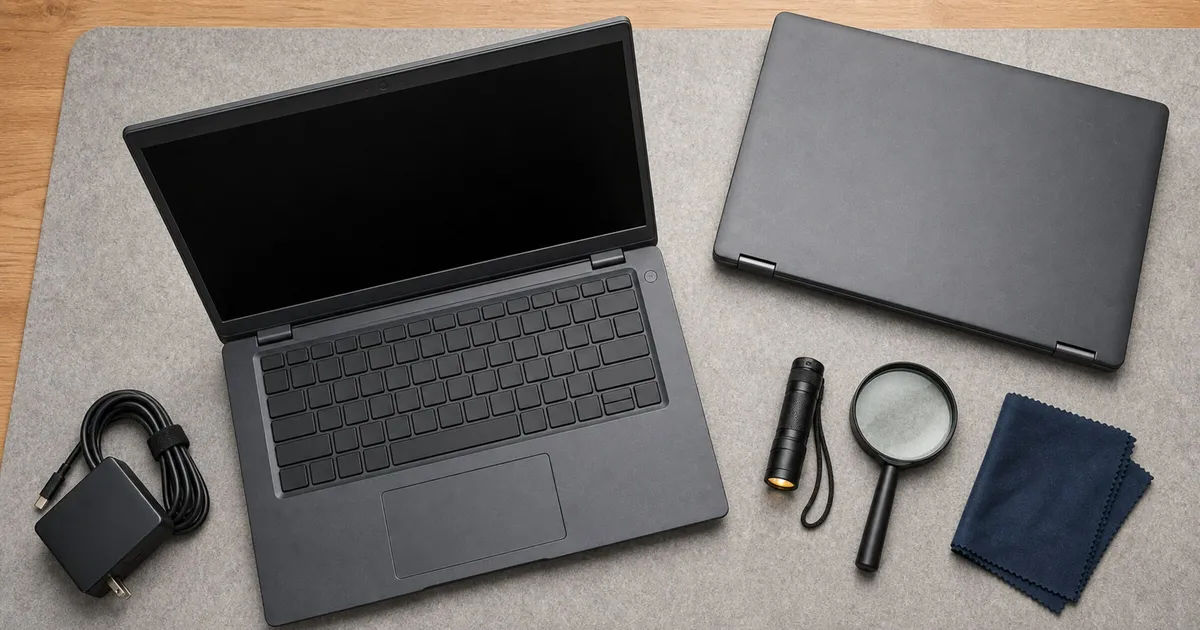
A refurbished laptop is an exact-unit purchase, not a model-family purchase. A ThinkPad T14 Gen 3 AMD, Latitude 5430, or EliteBook 845 G9 can be a sensible work machine, but only when the listing discloses configuration, battery condition, charger, operating-system state, seller, returns, and warranty. Search by a bounded target, then grade the listing.
Three useful search targets, not ranked picks
| Family target | Why it is worth searching | Configuration risk to resolve |
|---|---|---|
| Lenovo ThinkPad T14 Gen 3 AMD, Ryzen 7 PRO 6850U, 16GB, 512GB | Compact business chassis and replaceable M.2 storage | RAM is soldered; battery may be 39.3Wh or 52.5Wh; charger may be 45W, 65W, or absent |
| Dell Latitude 5430, Core i5-1245U, 16GB, 512GB | Two SODIMM slots and a detailed service manual | Battery may be 41Wh or 58Wh; 16GB may be one or two modules; exact panel varies |
| HP EliteBook 845 G9, Ryzen 7 PRO 6850U, 16GB, 512GB | Two DDR5 SODIMM slots and official service documentation | Battery may be 38Wh or 51Wh; display, radio, adapter, and prior management state vary |
Check Lenovo Thinkpad T14 Gen 3 Amd Refurbished on Amazon.
Check Dell Latitude 5430 Refurbished on Amazon.
Check Hp Elitebook 845 G9 Refurbished on Amazon.
Treat the listing as a bill of materials
The family name is only the beginning of a refurbished-laptop comparison. Copy the listing’s CPU, memory, SSD, display, keyboard, wireless card, webcam, battery claim, charger, operating system, grade, seller, returns, and warranty into a simple record before buying. If a field is absent, mark it unknown rather than filling it from the manufacturer’s family specification.
That distinction prevents a common mismatch. Lenovo’s PSREF can show that a Ryzen 7 PRO 6850U, 16GB, and 512GB T14 Gen 3 AMD configuration existed, but a refurbisher may have replaced its SSD, omitted the charger, or listed a different panel under the same family title. Dell’s specification sheet describes both 41Wh and 58Wh Latitude batteries. HP’s family documentation likewise covers multiple screens, adapters, and radios. None of those option lists identify the used unit in a marketplace photograph.
Ask for the serial number, service tag, or product number when the marketplace permits it, then use the manufacturer’s support page to confirm the original configuration and available documentation. Treat that lookup as corroboration rather than a condition report: original specifications do not establish the health of the current battery or SSD, and replacement parts may be legitimate upgrades if the seller discloses them accurately.
Grade condition in the order that affects ownership
Cosmetic grade is visible, but ownership and management state are more important. A cleanly transferable laptop should boot without a BIOS administrator password, prior-company enrollment, or a lock that prevents normal setup. The seller should warrant that those restrictions are removed. If it cannot, a spotless chassis does not make the machine suitable.
Next comes functional condition: charging, battery reporting, display, keyboard, trackpad, webcam, microphone, speakers, wireless connectivity, and every port. Then compare the actual configuration with the listing. Cosmetic issues belong last unless damage affects hinges, ports, the screen, or structural integrity. A worn palm rest is different from a loose charging port or a lid that does not hold position.
Photographs can help identify keyboard layout, port damage, cracked plastics, worn key legends, and charger markings, but stock images are not evidence about the exact unit. If the listing uses representative photos, require a written grade definition and an enforceable return path for defects that the images cannot show.
The listing must answer these questions
Refurbisher and seller identity
Record the seller’s legal or store identity, refurb grade, excluded cosmetic defects, and whether the marketplace or seller backs the guarantee. “Excellent” or “renewed” is incomplete without a written grading definition. Save the listing and terms at purchase because marketplace pages can change.
Exact included hardware
Require the CPU, installed RAM, module layout where relevant, SSD capacity, display resolution, keyboard layout, Wi-Fi hardware, webcam, and charger wattage. Family specifications only show possible configurations. Lenovo’s PSREF, for example, confirms that Ryzen 7 PRO 6850U, 16GB, and 512GB existed in the T14 Gen 3 AMD family; it does not prove a marketplace unit has them.
Battery condition
Ask for a minimum capacity percentage or a measured full-charge capacity and cycle count. A statement that the battery “works” says little about usable runtime. The three families have multiple original battery sizes, so capacity percentage should be paired with the designed watt-hour value.
A percentage without the original design capacity can also mislead. Eighty percent of a 39.3Wh battery is a different energy budget from eighty percent of a 58Wh battery. Ask the seller to identify both the designed capacity and current full-charge capacity, or plan to measure them immediately after arrival. Battery runtime still varies with screen brightness, workload, radios, and power settings, so capacity is a condition metric rather than a guaranteed hours figure.
Transfer and management status
The listing or seller should warrant that BIOS administrator passwords, Absolute or Computrace management, enterprise enrollment, and prior-owner locks are cleared. On receipt, verify Windows activation, TPM and Secure Boot state, current supported Windows build, firmware, and Device Manager before the return window closes.
Microsoft’s Windows 11 lifecycle is version-specific. A laptop being generally Windows 11-capable does not prove that its installed build is supported or properly licensed.
Check the firmware support page for the exact machine as well. A BIOS update listed on the current support page is useful evidence that the vendor still publishes fixes for that model, but it does not promise a future support date. Apply vendor firmware only after confirming stable power, the correct model, and recovery instructions. For a refurbished work machine, ownership transfer and a clean update path matter more than a preinstalled bundle of utilities.
Failure and return handling
Distinguish the marketplace return window, refurbisher warranty, and any remaining manufacturer coverage. Lenovo, Dell, and HP require a serial number or service tag for exact warranty lookup. Never infer remaining OEM support from the family name.
Write down who pays return shipping, whether a battery shortfall is covered, what remedy is offered, and whether the warranty begins at the marketplace purchase date. A seller’s “one-year warranty” and a marketplace guarantee may involve different claim systems. Screenshots of the listing, grade definition, and warranty terms create a usable record if the page changes after checkout.
Family-specific inspection notes
ThinkPad T14 Gen 3 AMD
Confirm machine type 21CF or 21CG for the AMD family. Its 8GB, 16GB, or 32GB LPDDR5 memory is soldered, so buy the capacity you need. The M.2 2280 SSD is replaceable. Check whether the unit has the larger 52.5Wh or smaller 39.3Wh battery and whether a genuine, sufficient USB-C charger is included.
Dell Latitude 5430
The Latitude has two DDR4 SODIMM slots and supports serviceable storage and battery assemblies. That makes later memory or storage work more practical, but it does not prove the refurbisher installed matched memory or a healthy battery. Ask for the service tag, 41Wh versus 58Wh battery, RAM module layout, panel resolution, and genuine 65W USB-C charger.
HP EliteBook 845 G9
The HP has two DDR5 SODIMM slots and family options including 38Wh and 51Wh batteries and 45W or 65W adapters. HP describes the battery as serviceable rather than user-replaceable under warranty. Confirm the exact product number, panel, battery size and health, charger, and Windows or firmware state.
Plan upgrades before judging value
The T14’s soldered memory makes the installed capacity a hard purchasing boundary. Storage can be replaced, but a lower-memory unit cannot be converted into a higher-memory one later. For the Latitude and EliteBook, two memory slots create more flexibility, yet the current module layout matters: a 16GB machine may contain one 16GB module or two 8GB modules, which changes what must be removed for an upgrade.
Use total ready-to-work cost rather than the listing price alone. Add any known replacement battery, correct USB-C charger, memory, SSD, adapter, or operating-system work needed to meet the target configuration. Do not assign those costs speculatively; price the exact compatible part only after identifying the machine and existing part. A cheaper unit that immediately needs several components can be worse value than a better-documented listing.
Service manuals help determine whether a repair is practical, but they are not a promise that every buyer should perform it. Review the required tools, electrostatic precautions, adhesive or cable steps, part compatibility, and warranty terms. If a battery is described as serviceable rather than customer-replaceable under warranty, include professional labor in the ownership decision.
Use the return window as an acceptance test
Start with non-destructive verification. Record the system information, compare it with the saved listing, run the vendor’s built-in diagnostics, and inspect battery and storage health. Test charging with the included adapter, then every external port using known-good devices. A short return window is not the time to open the chassis before checking whether doing so affects the seller’s terms.
Exercise the parts that intermittent defects expose: several sleep-and-wake cycles, a video call using the webcam and microphone, sustained charging, Wi-Fi at normal desk distance, an external display, keyboard keys, and trackpad gestures. This is an acceptance check, not evidence of long-term reliability. Its purpose is to find listing mismatches and immediately observable faults while the documented remedy remains available.
If a specification is wrong, preserve the evidence and contact the seller through the marketplace. Do not install paid upgrades or discard packaging until the machine passes the checks that matter to your use. A replacement SSD or battery may make sense after acceptance, but it can complicate a return when the original listing was inaccurate.
Arrival-day checklist
- Photograph packaging, chassis condition, serial or service tag, charger label, and the first boot.
- Compare CPU, RAM, storage, display, battery, and wireless hardware with the listing.
- Check battery designed capacity, full-charge capacity, and cycle count using the operating system or manufacturer diagnostics.
- Confirm BIOS access, no administrator password, Secure Boot and TPM state, Windows activation, and current updates.
- Test every port, webcam, microphone, speakers, keyboard, trackpad, charging, sleep and wake, Wi-Fi, and an external display.
- Run the manufacturer’s diagnostics and inspect SSD health.
- Initiate a return within the stated window if the listing and unit do not match.
Frequently Asked Questions
How much battery health is enough for a refurbished laptop?
There is no universal percentage because the original battery sizes differ and workload changes runtime. Require a disclosed minimum or measured full-charge capacity, pair it with the battery’s designed watt-hours, and decide whether the resulting energy capacity meets your day away from an outlet.
Is a marketplace “renewed” grade the same as manufacturer refurbishment?
Not necessarily. Identify who inspected the unit, whose grade definition applies, who provides the warranty, and which return policy covers a mismatch. The marketplace label alone does not establish the exact battery, parts, or remaining manufacturer coverage.
Should I buy a refurbished laptop with no charger?
Only if the missing charger is explicit and the total cost still makes sense after adding a correct, safety-certified adapter with the wattage the laptop requires. An unspecified USB-C charger can cause slow charging or leave the system underpowered during demanding work.
Which of these three families is easiest to upgrade?
The Latitude 5430 and EliteBook 845 G9 both provide two memory slots, while the T14 Gen 3 AMD uses soldered memory and must be purchased at the final RAM capacity. All upgrade decisions still depend on the exact unit, compatible parts, service steps, and seller or warranty terms.
What not to pay extra for
Do not pay a premium merely for “business class,” an unspecified “new battery,” a family-level warranty claim, or a generic refurb badge. Value comes from a documented exact configuration, measurable battery floor, clean ownership state, correct charger, and enforceable return and warranty terms. Because those fields change per offer, this guide does not rank current listings or quote live prices.
Sources
- Lenovo T14 Gen 3 AMD PSREF and guides: https://psref.lenovo.com/syspool/Sys/PDF/ThinkPad/ThinkPad_T14_Gen_3_AMD/ThinkPad_T14_Gen_3_AMD_Spec.PDF and https://pcsupport.lenovo.com/us/en/products/laptops-and-netbooks/thinkpad-t-series-laptops/thinkpad-t14-gen-3-type-21cf-21cg/document-userguide
- Dell Latitude 5430 specifications and service manual: https://www.dell.com/support/manuals/en-us/latitude-5430-laptop/latitude_5430_ss/ and https://www.dell.com/support/manuals/en-us/latitude-5430-laptop/latitude_5430_sm/
- HP EliteBook 845 G9 specifications and guides: https://support.hp.com/us-en/document/ish_6107105-6107212-16 and https://support.hp.com/us-en/product/setup-user-guides/hp-elitebook-845-14-inch-g9-notebook-pc/2100825625
- Microsoft Windows 11 lifecycle: https://learn.microsoft.com/en-us/lifecycle/products/windows-11-home-and-pro