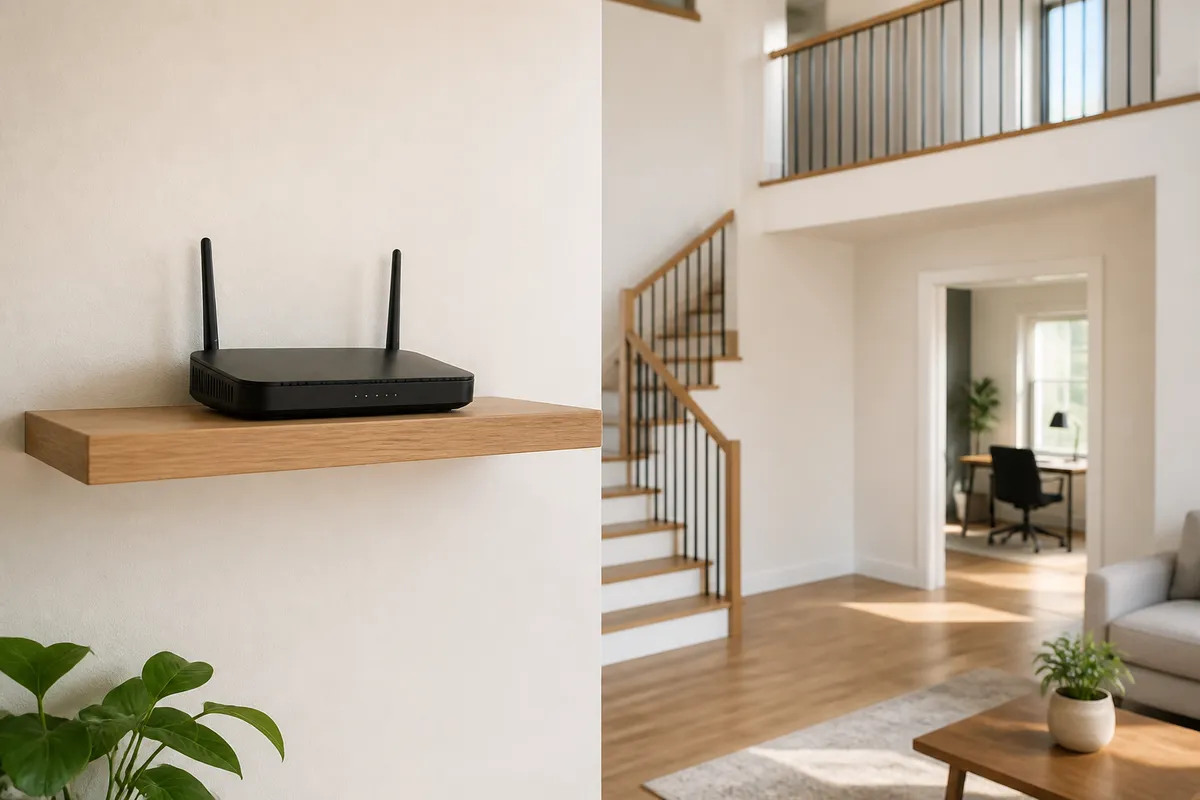
The best place for a Wi-Fi router is usually an open, elevated spot near the center of the areas where people actually use the network. That is a starting point, not a promise of whole-home coverage: walls, floors, metal, nearby electronics, the router’s radios, and the client device all affect the result. Treat placement as a short test-and-adjust exercise before deciding that new equipment is necessary.
Quick placement checklist
- Start near the middle of the rooms that need Wi-Fi, rather than near the outside wall where the service enters the home.
- Put the router in the open on a stable shelf or table, with ventilation around it.
- Raise it above floor level and keep large furniture, metal objects, and water-heavy appliances out of its immediate path.
- For two floors, begin from a central main-floor location or the floor that balances the most important rooms above and below.
- Test the same phone or laptop in the rooms that matter before moving anything else.
The goal is not to make every corner look equally strong in an app. It is to give the living room, work area, bedrooms, or other important spaces a reasonably direct radio path to the router.
Start with the coverage map, not the modem cable
Internet service often enters a home at a convenient utility location: a basement, garage, closet, or one outside corner. That location can be a poor place for the Wi-Fi radio. If the modem, gateway, or router can be moved safely, sketch the rooms where video calls, work, streaming, or smart-home devices are used most. Then look for the most central practical position among those rooms.
For a small apartment, one open living-area shelf can be enough. In a long house, dense masonry building, or home with a detached work area, a single central point may not be enough. Placement is still the right first step because it reveals whether the problem is one poor location or a genuine need for another wired access point or properly planned mesh node.
Keep the router open, visible, and ventilated
Hiding a router inside a cabinet, media console, or closet can make a room tidier, but it also puts material around the radio and can restrict cooling. NETGEAR and Linksys both advise an open, central placement away from walls and corners; Linksys also calls out cabinets and bulky furniture as avoidable barriers.
Use an open shelf or table where the router is secure, its cables have strain relief, and its vents are not covered. Avoid putting it directly on the floor or behind a television. A location a few feet up is usually easier to keep clear of furniture and gives the signal a better path through the occupied part of a room.
Account for what sits between the router and the room
Wi-Fi travels through a real building, not an empty floor plan. Thick walls and floors, large metal objects, appliances, water, and dense furniture can weaken or redirect the path. Cisco’s deployment guidance likewise treats obstructions and mounting location as inputs to a site survey rather than assumptions that one access point will behave the same in every room.
Before moving the router, look at the path to the weak room:
- A router behind a television, refrigerator, filing cabinet, or metal utility enclosure starts with a difficult nearby barrier.
- A basement location may have to pass through a dense ceiling and floor before reaching the living space.
- A fish tank, water heater, washing machine, or other water-heavy object can make a poor spot worse.
- A long hallway may look central on a plan but still put the router behind several room walls from the places where people sit.
You do not need to calculate radio propagation to use this information. Move the router to an open candidate location, test it, and compare that result with the old location. If the only practical location has a major barrier on one side, plan the next coverage point on the far side of that barrier rather than expecting a single router to force a clean path through it.
Place for two floors by balancing the vertical path
For a two-story home, begin with a central position on the main floor if that is where the most use occurs. If the upper floor is the priority, a central position there can be a sensible first trial. The right answer depends on the floor construction and the rooms that need service; a basement corner is rarely an ideal default merely because the cable arrives there.
Stair openings can sometimes provide a less obstructed path between floors, but they are not a guarantee. Avoid treating a stairwell as a magic signal tunnel. Test a nearby shelf or open room position with the same client device, then test again upstairs and downstairs. A result that is good beside the stairs but poor in a closed office identifies a path problem, not a reason to keep moving the router at random.
If coverage remains uneven after a sensible central placement, an additional access point or mesh node belongs where it still has a strong connection to the main network. A node placed directly in a dead zone has little useful signal to extend. Our mesh Wi-Fi guide for multi-story homes covers the separate questions of node count, backhaul, administration, and support.
Separate interference from a bad location
Nearby electronics and other wireless networks can add another variable, especially in crowded apartments or a media cabinet. Keep the router away from microwave ovens and avoid clustering it with another active router if you can. If an internet-provider gateway remains in the same spot but a separate router handles Wi-Fi, use the documented configuration for that setup rather than leaving two competing Wi-Fi networks active without a plan.
Test placement with the task you actually use
Run the same test from the same phone or laptop in each important room. Check an ordinary web page, a video call or other latency-sensitive task, and a short walk between rooms if roaming is part of the problem. A single speed test near the router does not establish coverage in the room where the connection fails.
Use this small record for each candidate location:
| Room | Client and task | Result | What sits in the path |
|---|---|---|---|
| Home office | Same laptop, video call and web page | Note dropouts, delay, or stability | Floor, wall, desk, or closed door |
| Living area | Same phone, normal streaming | Note interruptions and reconnects | Television, cabinet, or furniture |
| Bedroom | Same client, ordinary browsing | Note whether it remains usable | Distance and intervening walls |
Repeat after moving the router, changing one thing at a time. This is not a laboratory benchmark, and it cannot prove a universal best location. It does give the household a defensible answer to a practical question: did the change improve the room that was failing?
When placement is no longer the main issue
Stop moving the router once it has an open, central, ventilated position and your tests show that a particular room still has a poor path. At that point, investigate the wired connection, the client device, the internet service, router firmware, and whether the home needs another correctly placed coverage point. A cable-connected access point is often easier to reason about than trying to make a weak wireless hop cross multiple barriers.
Do not buy an extender or mesh kit solely because an app reports a weak area before trying one good placement change. Conversely, do not keep relocating a router when dense materials or a large floor plan plainly separate the room from every practical central position. The useful outcome is a simple network map: where the gateway sits, which rooms were tested, and where an extra wired or mesh point would have a healthy path.
Frequently asked questions
Should a Wi-Fi router be upstairs or downstairs?
Choose the floor that best balances the rooms you use, then test from those rooms. A central main-floor position is a practical first trial for many two-story homes, but a different floor can be better when it shortens the path to the priority spaces. Avoid a basement corner or closed cabinet just because that is where service enters the building.
Can I put a Wi-Fi router in a cabinet?
It may work, but it is usually a poor first choice. A cabinet adds nearby material around the router and can restrict ventilation. Try an open, secure shelf or table first, then compare the same-client results in the rooms that matter.
Why is the room next to the router good while another room is poor?
Distance is only one part of the path. Walls, floors, metal, water-heavy appliances, furniture, nearby radios, and the client device can all change the result. Test a more open central location before assuming the router itself is the cause.
Evidence boundary
This is a documentation-led placement guide, not a measurement of any router or home. Manufacturer guidance can identify reasonable starting locations and common barriers, but it cannot predict coverage, throughput, latency, roaming, or reliability for a particular floor plan, construction material, client, or radio environment. Test the intended rooms after each placement change.
Sources
- NETGEAR, “Boost WiFi Signal: Router Placement Tips”: https://www.netgear.com/hub/wifi/routers/best-wifi-router-location/
- Linksys Support, “Where you place your router matters more than you think”: https://support.linksys.com/kb/article/7766-en/
- Cisco, “Catalyst 9115 and 9117 Series Access Points Deployment Guide”: https://www.cisco.com/c/en/us/products/collateral/wireless/catalyst-9100ax-access-points/deployment-guide-c07-741977.html