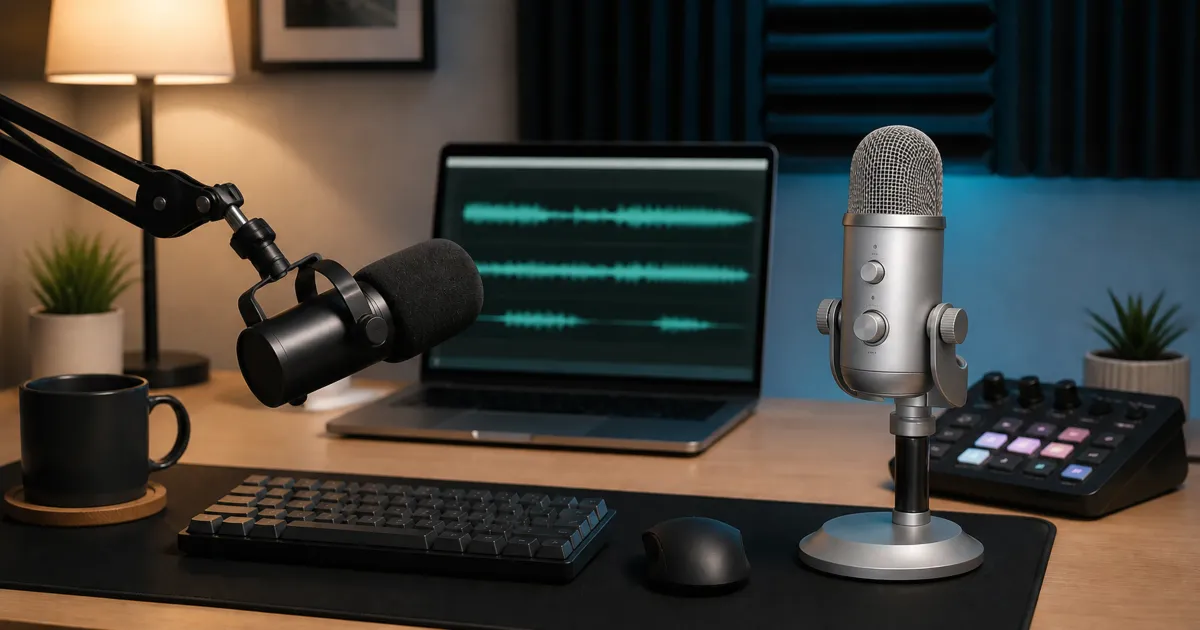
Shure MV7+ is the more flexible choice for close spoken voice, direct monitoring, and a future move to an XLR interface. Elgato Wave:3 MK.2 is the clearer fit when one computer needs software-routed stream, chat, and recording mixes. Neither is automatically the better-sounding microphone in every room: placement, speaker distance, application processing, and the actual host can reverse the result.
Fast decision
- Choose Shure MV7+ when you want a dynamic end-address microphone close to your mouth, Shure’s documented USB processing, or a passive XLR path for a later interface or mixer.
- Choose Elgato Wave:3 MK.2 when Wave Link routing, a separate stream or recording mix, onboard effects, and the included desk stand solve the larger part of your setup.
- Choose neither from a specification sheet alone if the microphone must sit far across a reflective desk. Test the real speaking distance before the return window closes.
- Start with our broader USB versus XLR microphone guide if you have not yet decided whether a software-routed USB desk or a modular interface chain fits your work.
What is actually different?
MV7+ is a cardioid dynamic microphone with USB-C, passive XLR, and a 3.5mm monitor output. Shure documents up to 24-bit/48kHz on the ordinary computer USB path, along with Auto Level, real-time denoising, digital pop reduction, compression, limiting, tone, and high-pass controls in MOTIV Mix. The passive XLR output is intentionally separate: Shure states that software settings do not affect it.
Wave:3 MK.2 is a cardioid condenser USB microphone with a headphone output, multifunction dial, Auto Gain, tap mute, onboard Wave FX processing, Clipguard 2.0, and Wave Link integration. Elgato positions Wave Link as the routing center for effects, voice chat, soundboard use, and distinct listening, stream, and recording mixes. It does not provide an XLR output.
Those architectures lead to the practical choice. MV7+ offers two connection eras: a direct USB microphone now and a passive XLR source later. Wave:3 MK.2 commits to USB but makes the single-computer software mix the product’s central feature.
For everyday video calls
MV7+ is the more straightforward starting point when the microphone can live on a boom arm close to the speaker. Its end-address shape makes the intended speaking direction obvious, and Shure documents a cardioid pattern, Auto Level, a real-time denoiser, a digital pop filter, and latency-free headphone monitoring. Those tools can simplify a call setup, but they do not make poor placement irrelevant.
The main MV7+ purchase boundary is mounting. The microphone includes a USB-C cable and threaded yoke, but the stand or arm is separate. Check the arm’s supported weight, desk-clamp clearance, thread adapter, and whether the boom can put the windscreen near speaking position without blocking the camera. A microphone bought for background control but left at monitor distance has lost much of the intended setup advantage.
Wave:3 MK.2 can also handle calls and includes a desk stand. Its onboard dial, tap mute, Auto Gain, headphone output, and monitor-mix control make it convenient on a tidy desk. The condenser design is not automatically a room-noise problem, and the dynamic design is not automatically a cure; distance, level, direction, room reflections, keyboard position, and processing all interact.
For either microphone, select it explicitly in Teams, Zoom, Meet, Discord, or the calling app rather than assuming the operating-system default carried over. Record a short sample in that exact application, then check mute behavior and reconnect once after a restart.
For streaming and recorded mixes
Wave:3 MK.2 has the more purpose-built one-computer streaming workflow. Elgato documents Wave Link controls for effects, a soundboard, voice chat, and a separate recording mix. That can reduce the need to assemble several unrelated routing utilities when the microphone, game, music, browser, and chat all run on one machine.
The benefit depends on using a supported Wave Link host and keeping its configuration understandable. Name sources consistently, save a known-good profile, and test what the audience hears separately from what is in your headphones. A clean monitor mix is not proof that the stream output contains the same sources at the same levels.
MV7+ focuses more on the microphone channel itself. MOTIV Mix exposes gain, tone, compression, limiting, denoising, high-pass filtering, monitor balance, and related USB settings. That is enough for many solo streams, especially when the streaming application already owns scene and source routing. If the future plan includes a hardware mixer or multi-input interface, the passive XLR output provides a migration path that Wave:3 MK.2 lacks.
Do not count the same processing twice. Aggressive microphone denoising plus a second strong noise-removal stage in the streaming or meeting app can produce pumping or speech artifacts. Establish a clean raw level first, then add one processing stage at a time.
Monitoring and controls
Both microphones provide a 3.5mm headphone connection. That matters because direct monitoring can reveal clipping, plosives, cable noise, clothing contact, and large distance changes without waiting for a full software round trip.
MV7+ exposes monitor mix and other settings through MOTIV Mix and uses its LED touch panel for mute and level-related feedback. Wave:3 MK.2 uses a multifunction dial for gain, headphone volume, and monitor mix, plus tap-to-mute and level indicators. Decide whether physical adjustment or saved software state matters more in the room where the microphone will stay.
Monitoring is not the same as recording. Confirm the application input meter, make a local recording, and play it back through a separate path. Then repeat with the headphones disconnected if they will not always be used. This catches cases where the headphone mix sounds right but the recorded or transmitted channel does not.
Complete setup cost and desk space
MV7+ needs a stand or boom arm before it becomes a stable desk microphone. A pop filter may be optional because Shure includes a windscreen and documents digital pop reduction, but strong plosives still depend on speaking angle and distance. Its 3-meter USB-C cable is generous, yet cable routing and arm movement need to be checked together.
Wave:3 MK.2 includes a desk stand and is ready for a simple desktop position. A separate arm can move it closer and free desk space, but that is an optional change rather than the minimum setup. The stream-control device shown in the hero image is contextual, not an included Wave:3 accessory.
Count the complete chain, not only the microphone: mount, cable path, headphones, available USB port, required adapter, and any future interface. If the plan already includes an XLR interface, MV7+ can participate in that chain. If the plan is permanently one microphone and one computer, paying for an unused XLR path may add no practical value.
Host and software boundaries
Shure documents MV7+ support through current MOTIV desktop and mobile paths, including named Windows, macOS, iOS, Android, and PS5 requirements, while explicitly excluding Xbox. Check the current Shure requirement page for the exact host and app version before purchase. The USB feature set and stored settings should not be assumed to appear on passive XLR.
Elgato documents Wave:3 MK.2 as a USB microphone for computer, tablet, or smartphone use, while the full Wave Link and VST workflow is a computer-software decision. Verify the exact operating-system requirement, available USB path, and whether the intended effects are local, onboard, or hosted by Wave Link. Marketplace effects and account-dependent extras should not be confused with basic microphone operation.
If your creator desk also needs a camera, our low-light webcam guide explains why the complete USB path and real application mode matter more than a connector shape. Add peripherals one at a time after the microphone works directly on the host.
A controlled five-minute comparison
Use the same computer, application, passage, and project setting for both microphones. Disable optional effects at first.
- Put each microphone at the maker’s intended close-speaking position and mark the distance.
- Set a normal speech level with headroom; do not level-match by eye alone.
- Record thirty seconds of speech, ten seconds of silence, ordinary keyboard use, and one deliberate head turn.
- Level-match playback before comparing room sound, plosives, and voice consistency.
- Turn on only the single processing feature you actually intend to keep, then repeat.
- Test mute, headphone monitoring, restart behavior, and the real call or streaming application.
This procedure answers whether the workflow fits your room and voice. It is not a lab comparison and should not be generalized to another distance, room, speaker, firmware version, or host.
Which should you buy?
Choose Shure MV7+ when close spoken-word placement, documented USB voice processing, latency-free monitoring, and a future passive XLR route form the most useful package. It is the more adaptable choice across a direct USB desk and a later interface-based setup.
Check the current Shure MV7+ price on Amazon.
Choose Elgato Wave:3 MK.2 when a one-computer stream needs Wave Link routing, effects, chat or soundboard sources, separate mixes, and a microphone that arrives with a desk stand. It is the more integrated software-workflow choice, not an XLR bridge.
Check the current Elgato Wave:3 MK.2 price on Amazon.
Skip both if the microphone must capture several people from across a room, if the host cannot support the required USB or software path, or if a two-microphone setup is imminent. A multi-input interface or conference-room system is a different purchase. If headphones are also part of the desk-call chain, our calls and travel headphone guide separates what you hear from what the far end receives.
Evidence boundary
This comparison uses current Shure and Elgato documentation for exact-model identity, connections, controls, monitoring, processing, and software workflow. We did not personally test either microphone, publish a price, use customer ratings or review counts, or claim a shared acoustic measurement. Manufacturer features describe what the products expose; they do not prove a universal sound-quality or noise-rejection winner.
Sources
- Shure MV7+ user guide and specifications: https://www.shure.com/en-US/docs/guide/MV7plus
- Elgato Wave:3 MK.2 product page: https://www.elgato.com/us/en/p/wave-3
- Elgato Wave:3 MK.2 quick-start guide: https://www.elgato.com/us/en/explorer/products/wave/elgato-wave3-mk2-quick-start-guide/